Managing Multiple API Keys Across Development, Staging, and Production Environments

James Whitfield
16 June 2026
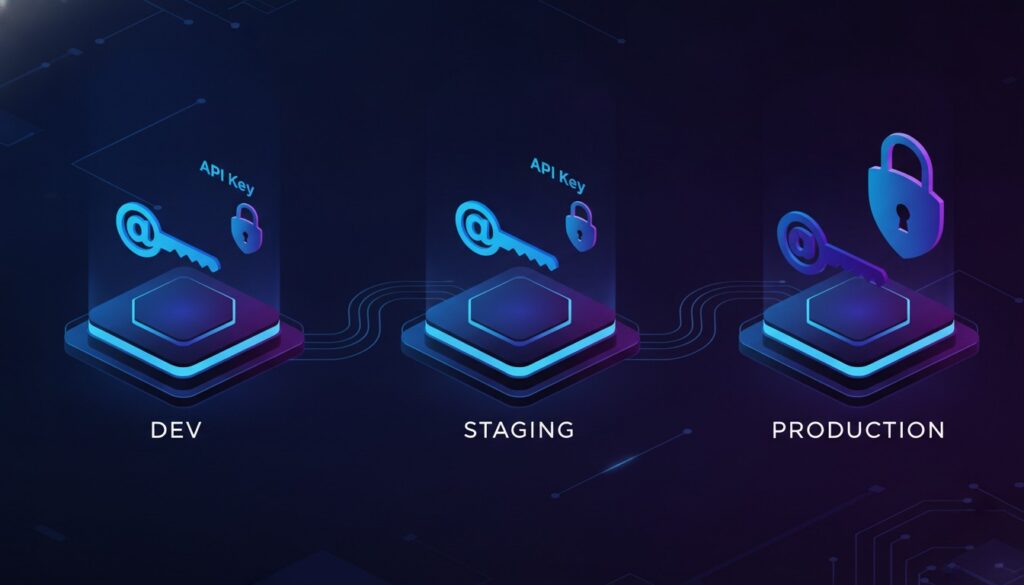
Managing Multiple API Keys Across Development, Staging, and Production Environments
As your project grows from a simple prototype to a full-scale production application, one challenge quietly compounds in the background: managing API keys across multiple environments. What starts as a single API key hardcoded in a config file quickly becomes a tangled web of sandbox credentials, staging tokens, and production secrets — each with different permissions, rate limits, and security implications.
A single misconfiguration — like accidentally using a production payment API key in your development environment — can lead to real charges, data leaks, or even compliance violations. In this guide, we’ll walk through proven strategies for organizing, securing, and automating API key management across development, staging, and production environments.
Why Multi-Environment API Key Management Matters
Before diving into solutions, let’s understand why this problem deserves dedicated attention.
The Real Cost of Mismanaged Keys
- Financial risk: Using a live Stripe or payment gateway key during testing can result in real transactions being processed against real customer accounts.
- Data integrity: Hitting a production database with test scripts can corrupt or delete critical data.
- Security exposure: Hardcoded keys in repositories can be scraped by bots within seconds of being pushed to a public repo.
- Compliance failures: Regulations like PCI-DSS, GDPR, and SOC 2 require strict separation of credentials between environments.
- Use free-tier or sandbox API keys
- Rate limits are typically generous or non-existent
- Data is disposable and can be reset freely
- Use dedicated staging API keys (separate from both dev and production)
- Connect to staging-specific third-party environments when available
- Test with realistic but non-production data
- Use production API keys with the least privilege necessary
- Implement strict access controls on who can view or rotate these keys
- Monitor usage and set up alerts for anomalies
- AWS Secrets Manager: Integrates natively with Lambda, ECS, and EC2. Supports automatic rotation of database credentials and API keys.
- Google Cloud Secret Manager: Tight integration with GCP services, IAM-based access control, and automatic versioning.
- Azure Key Vault: Enterprise-grade secrets management with HSM-backed key storage.
- HashiCorp Vault: The gold standard for multi-cloud secrets management. Supports dynamic secrets, leasing, and revocation.
- Doppler: A developer-friendly secrets manager that syncs environment variables across local, CI/CD, and production environments.
- 1Password Secrets Automation: Extends the familiar 1Password interface to programmatic secret access.
- Use environment-scoped secrets: GitHub Actions, GitLab CI, and CircleCI all support environment-specific secret scopes. Use them.
- Never log secrets: Ensure your build scripts don’t accidentally echo API keys to build logs. Most CI platforms auto-mask known secrets, but don’t rely on this exclusively.
- Rotate after exposure: If a key appears in a log or artifact, rotate it immediately — even if the log is private.
- Use OIDC where possible: Modern CI platforms support OpenID Connect for cloud authentication, eliminating the need to store long-lived cloud credentials as secrets.
- `STRIPE
- `STRIPESTAGINGSECRETKEY`
- `STRIPEPRODSECRETKEY`
- `SENDGRIDDEVAPIKEY`
- `TWILIOPRODAUTHTOKEN`
Real-world example: In 2019, a major SaaS company accidentally shipped production AWS keys inside a Docker image pushed to a public registry. Within hours, attackers had spun up cryptocurrency mining instances, resulting in a six-figure cloud bill.
The bottom line is clear: treating API key management as an afterthought is a ticking time bomb.
Understanding the Three-Environment Model
Most professional software teams operate with at least three distinct environments:
1. Development (Local)
This is where individual developers write and test code on their machines. API keys here should point to sandbox or mock services whenever possible.
2. Staging (Pre-Production)
Staging mirrors production as closely as possible. It’s used for integration testing, QA, and final validation before deployment.
3. Production (Live)
This is the real deal — live users, real transactions, actual data.
Pro tip: Some API providers (like Stripe, Twilio, and SendGrid) offer explicit sandbox/test modes with separate key pairs. Always take advantage of these when available.
Strategy 1: Environment Variables — The Foundation
The most fundamental practice for managing API keys across environments is using environment variables. This approach ensures that secrets are never hardcoded in your source code.
How It Works
Instead of writing this:
“`python
❌ NEVER do this
apikey = “skliveabc123realproductionkey”
“`
You do this:
“`python
✅ Always do this
import os
apikey = os.environ.get(“PAYMENTAPIKEY”)
“`
The actual value of `PAYMENTAPIKEY` is set differently in each environment:
| Environment | Variable Value |
|————-|——————————-|
| Development | `sktestdevsandboxkey` |
| Staging | `skteststagingkey` |
| Production | `skliveproductionkey` |
Using `.env` Files Locally
For local development, the popular dotenv pattern lets you store environment variables in a `.env` file:
“`bash
.env.development
PAYMENTAPIKEY=sktestdevsandboxkey
EMAILAPIKEY=SG.testkeyfordev
DATABASEURL=postgres://localhost:5432/myappdev
“`
Critical rule: Always add `.env` files to your `.gitignore`:
“`bash
.gitignore
.env
.env.
!.env.example
“`
Maintain a `.env.example` file (with placeholder values) so new team members know which variables they need to configure:
“`bash
.env.example
PAYMENTAPIKEY=yourpaymentkeyhere
EMAILAPIKEY=youremailkeyhere
DATABASEURL=yourdatabaseurlhere
“`
Strategy 2: Secrets Management Tools for Teams
Environment variables work well for individual developers, but as your team grows, you need centralized secrets management. Here are the leading approaches:
Cloud-Native Secrets Managers
Platform-Agnostic Tools
How to Choose
| Factor | Cloud-Native | Platform-Agnostic |
|——–|————-|——————–|
| Multi-cloud support | Limited | Excellent |
| Setup complexity | Low | Medium-High |
| Cost | Pay-per-use | Varies (some free tiers) |
| Team familiarity | Cloud-specific | Universal |
Recommendation: If you’re committed to a single cloud provider, use their native secrets manager. If you operate across multiple clouds or want vendor independence, HashiCorp Vault or Doppler are excellent choices.
Strategy 3: CI/CD Pipeline Integration
Your CI/CD pipeline is a critical link in the chain. It needs access to the right API keys for the right environment — automatically and securely.
GitHub Actions Example
“`yaml
.github/workflows/deploy-staging.yml
name: Deploy to Staging
on:
push:
branches: [staging]
jobs:
deploy:
runs-on: ubuntu-latest
environment: staging
steps:
– uses: actions/checkout@v4
– name: Deploy
env:
PAYMENT
EMAILAPIKEY: ${{ secrets.STAGINGEMAILAPIKEY }}
run: |
./deploy.sh
“`
Best Practices for CI/CD Secrets
Strategy 4: Naming Conventions and Key Organization
As the number of API keys grows, a consistent naming convention becomes essential for maintaining sanity.
Recommended Naming Pattern
“`
{SERVICE}
“`
Examples:
Maintain a Key Inventory
Create and maintain a secrets inventory document (stored securely, not in your repo) that tracks:
- Service name and purpose
- Environment (dev/staging/prod)
- Owner (who created or manages the key)
- Rotation schedule (e.g., every 90 days)
- Last rotated date
- Access scope (which services or team members need it)
Strategy 5: Key Rotation and Lifecycle Management
API keys should not be permanent. Implementing a rotation strategy reduces the blast radius of any potential compromise.
Rotation Best Practices
- Set a rotation schedule: Rotate production keys at least every 90 days. Critical keys (payment, authentication) should rotate more frequently.
- Support zero-downtime rotation: Design your application to accept multiple valid keys simultaneously during rotation windows.
- Automate rotation: Use your secrets manager’s built-in rotation features or build custom Lambda/Cloud Functions to handle rotation.
- Revoke old keys promptly: After confirming the new key works in all environments, revoke the old one immediately.
Zero-Downtime Rotation Pattern
“`
- Generate new API key from provider
- Add new key to secrets manager (keep old key active)
- Deploy application update that uses new key
- Verify new key works correctly in production
- Revoke old key from the API provider
- Remove old key from secrets manager
Warning: Never rotate keys on a Friday afternoon. Schedule rotations during business hours when your team is available to respond to issues.
Common Pitfalls to Avoid
Even experienced teams make mistakes. Here are the most common pitfalls and how to avoid them:
- Copying production keys to development: Always use sandbox keys for development. If a service doesn’t offer sandbox mode, create a separate account for testing.
- Sharing keys via Slack or email: Use your secrets manager’s sharing features instead. Messages can be logged, cached, and searched.
- Using the same key across environments: Each environment should have its own unique key, even if they connect to the same service.
- Forgetting to update staging after rotating production keys: If staging uses production-adjacent keys, include staging in your rotation runbook.
- Over-permissioning keys: Follow the principle of least privilege. If a key only needs read access, don’t grant write permissions.
A Practical Checklist for Your Team
Use this checklist to evaluate and improve your current API key management practices:
- [ ] All API keys are stored as environment variables, never hardcoded
- [ ] `.env` files are in `.gitignore` with a `.env.example` template available
- [ ] Each environment (dev, staging, prod) uses separate API keys
- [ ] A centralized secrets manager is in place for team collaboration
- [ ] CI/CD pipelines use environment-scoped secrets
- [ ] A consistent naming convention is enforced
- [ ] A secrets inventory is maintained and regularly updated
- [ ] Production keys are rotated on a defined schedule
- [ ] Access to production secrets is restricted and audited
- [ ] Alerts are configured for unusual API key usage patterns
Conclusion
Managing API keys across development, staging, and production environments is not glamorous work — but it’s foundational to building secure, reliable software. The strategies outlined in this guide — from environment variables and secrets managers to naming conventions and rotation policies — form a layered defense that protects your application, your users, and your business.
The key takeaways are:
- Never hardcode secrets — use environment variables as your baseline.
- Separate keys per environment — what works in dev should never touch production.
- Centralize and automate — use secrets managers and CI/CD integrations to reduce human error.
- Rotate regularly — treat API keys as ephemeral, not permanent.
- Document everything — maintain an inventory and runbooks for your team.
Take the Next Step
Ready to level up your API key management? Start by auditing your current setup against the checklist above. Identify your biggest gaps, pick one strategy from this guide, and implement it this week. Whether it’s migrating from hardcoded keys to environment variables or setting up your first secrets manager, every incremental improvement reduces your risk.
Have questions or want to share your own strategies? Drop a comment below or reach out on social media — we’d love to hear how your team handles multi-environment secrets management.
Written by Emma Davis — helping developers build more secure, scalable applications one best practice at a time.